Agent-Initiated Settlement Requests via Email or SMS
🔗 Settlement Offer Request via Magic Link
Agents using Tratta Console have long been able to send Payment and Payment Request links, allowing consumers to open the portal and complete a payment by entering their payment method.
With this update, agents can now also send a Settlement Offer Request link.
To send it, go to Create Payment > Settlement Offer, select payment method Via SMS/Email and pick desired way to send it.
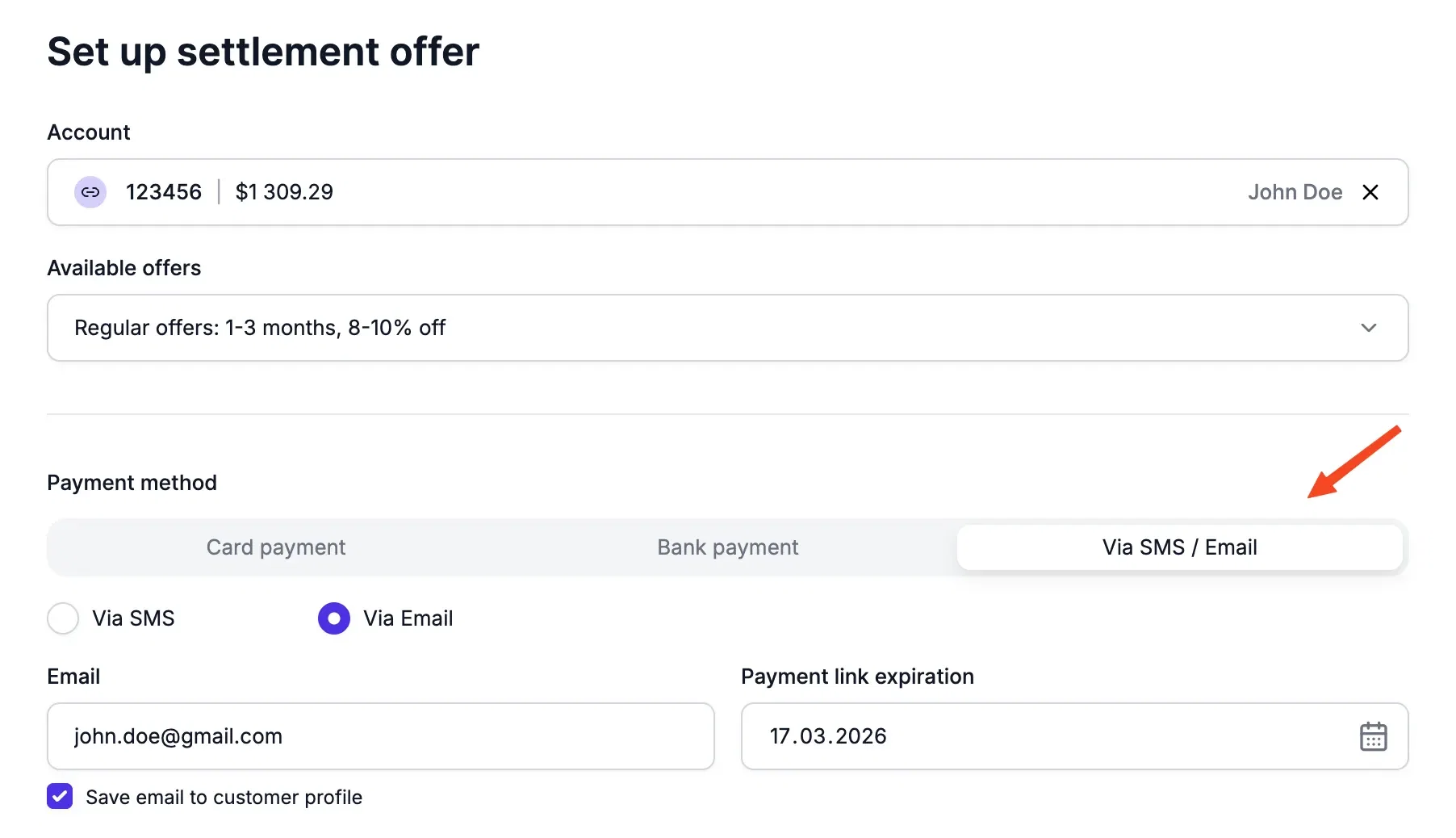
This feature sends the customer a link that opens the Settlement Offers page on the portal, if an offer is available at the time the link is opened. It’s a simple way to guide the customer to self-serve, without requiring login or account creation.
➕ More Create Payment Updates:
- All Payment and Settlement Request links now stay valid for 90 days by default (previously 30). You can still adjust the expiration period on the request form if needed.
- On Create Payment, email and phone inputs now let agents choose whether to update the customer profile or use them for a one-time send only.
🛡️Audit Logs Now Downloadable from Console
Organizations can now access their monthly audit logs directly in Console > Settings > Audit Logs.
Each row includes a downloadable ZIP archive containing user records, access logs, and activity logs for the selected month. This makes compliance and audit tracking easier than ever.
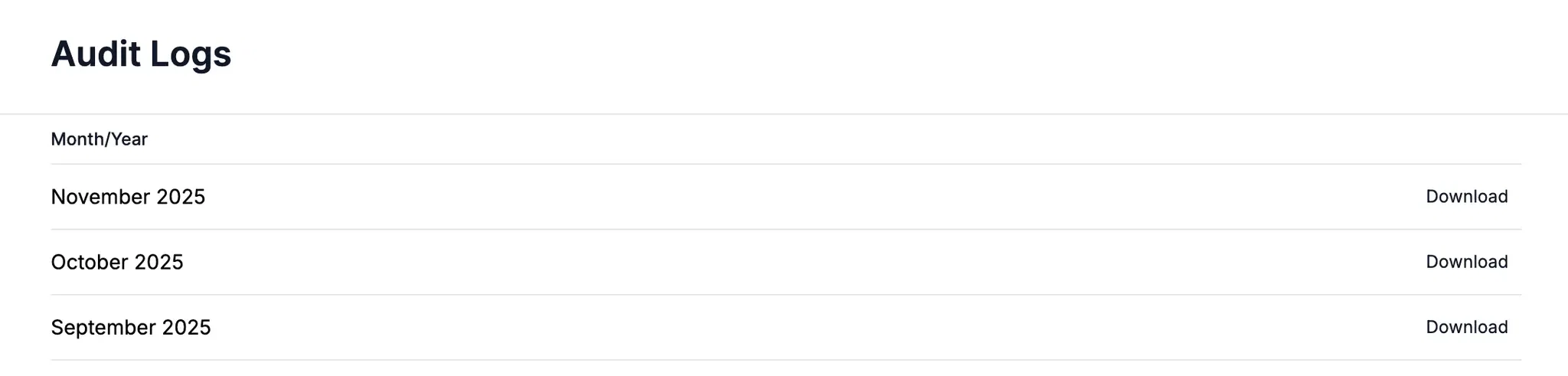
This feature is permission-based.
🪴Other Updates & Maintenance
- Campaign Deliverability report now includes an Attachments column showing the file name of any attachments sent with each email.
- Various UI, security, and performance fixes across the platform.