Autopay: Open-Ended Payment Plans and Other Updates
🗓️ Introducing Autopay (Open-Ended Payment Plans)
We kept hearing the same problem: a consumer agrees to $200 a month, then goes online and pays $150. Or the balance changes after judgment, and the fixed payment plan no longer covers it. One operations manager told us, "We don't allow those files to make payment plans on the portal, because if judgment gets entered, the balance is going to change."
Autopay solves this. It is a payment plan that runs until the balance reaches zero, scheduling only one payment at a time. No fixed end date, no predefined schedule. If the balance increases (court costs, interest, additional fees), the plan adjusts automatically.
Perfect for post-suit accounts, HOA assessments, or any balance that may change over time.
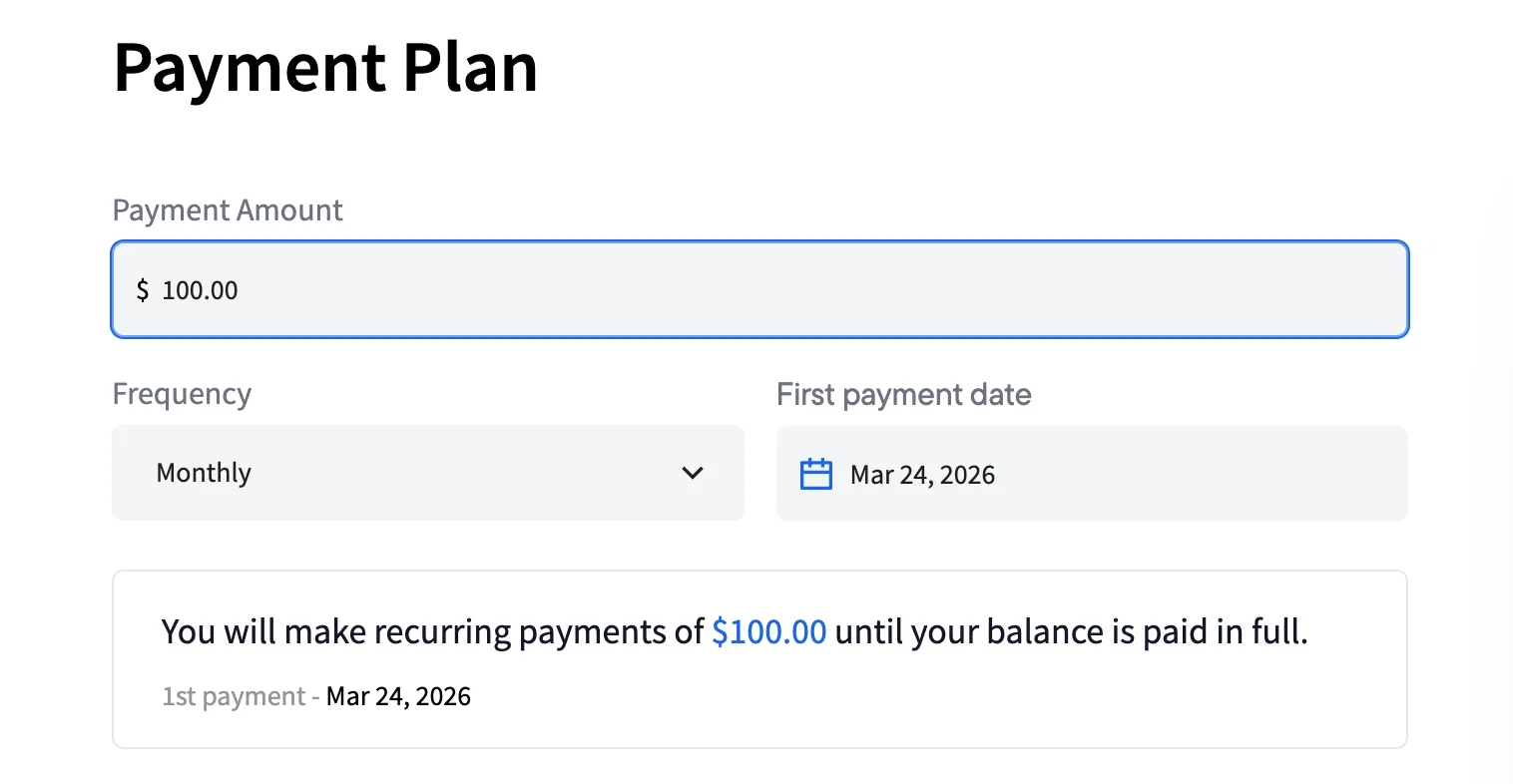
Key Features:
- Pay until zero: Payments continue until the account balance is fully paid
- One payment at a time: Consumers see only the next upcoming payment
- Autopay-specific disclosures: Add custom disclosures specifically for Autopay plans to inform consumers about potential balance changes
- Same experience: Reminders, payment methods, and break rules work just like regular plans
- Reporting: In Console, Autopay plans are labeled with an "Autopay" badge and tracked in reports with a new "Custom Autopay" checkout type

🚀 Autopay can be enabled globally for your organization or per account using the enable_autopay metadata flag. Contact your account manager to enable it on sandbox and try it out.
📧 Unified Opt-Out for Emails
Several firms told us they needed a single, consistent unsubscribe experience across all Tratta emails. Some of you were already building manual workarounds with links to your own contact pages.
We now support a unified unsubscribe link on both campaign and transactional emails (payment confirmations, reminders, etc.).
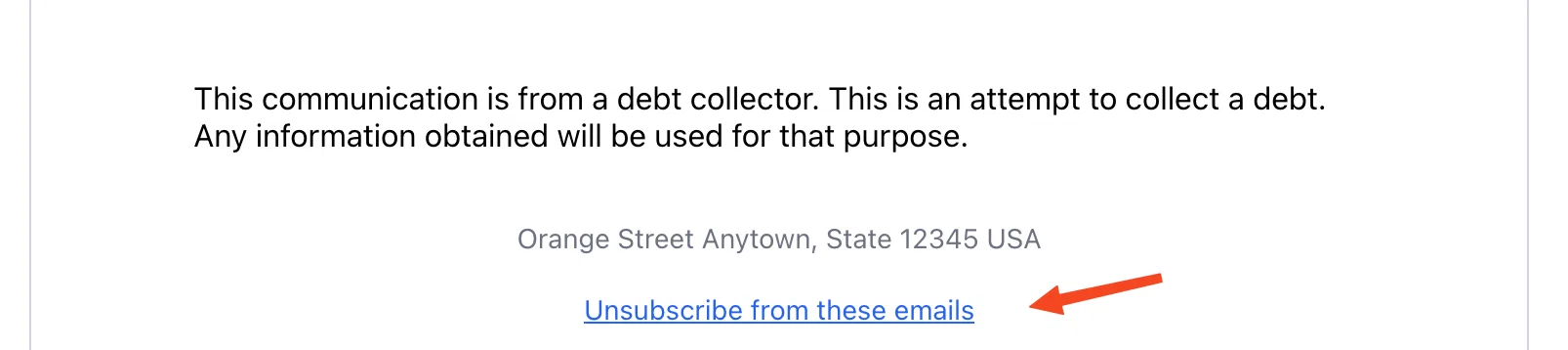
When enabled, the opt-out page shows two options: campaign emails and payment notifications, so consumers can choose what to unsubscribe from. This strengthens your compliance posture and protects domain deliverability.
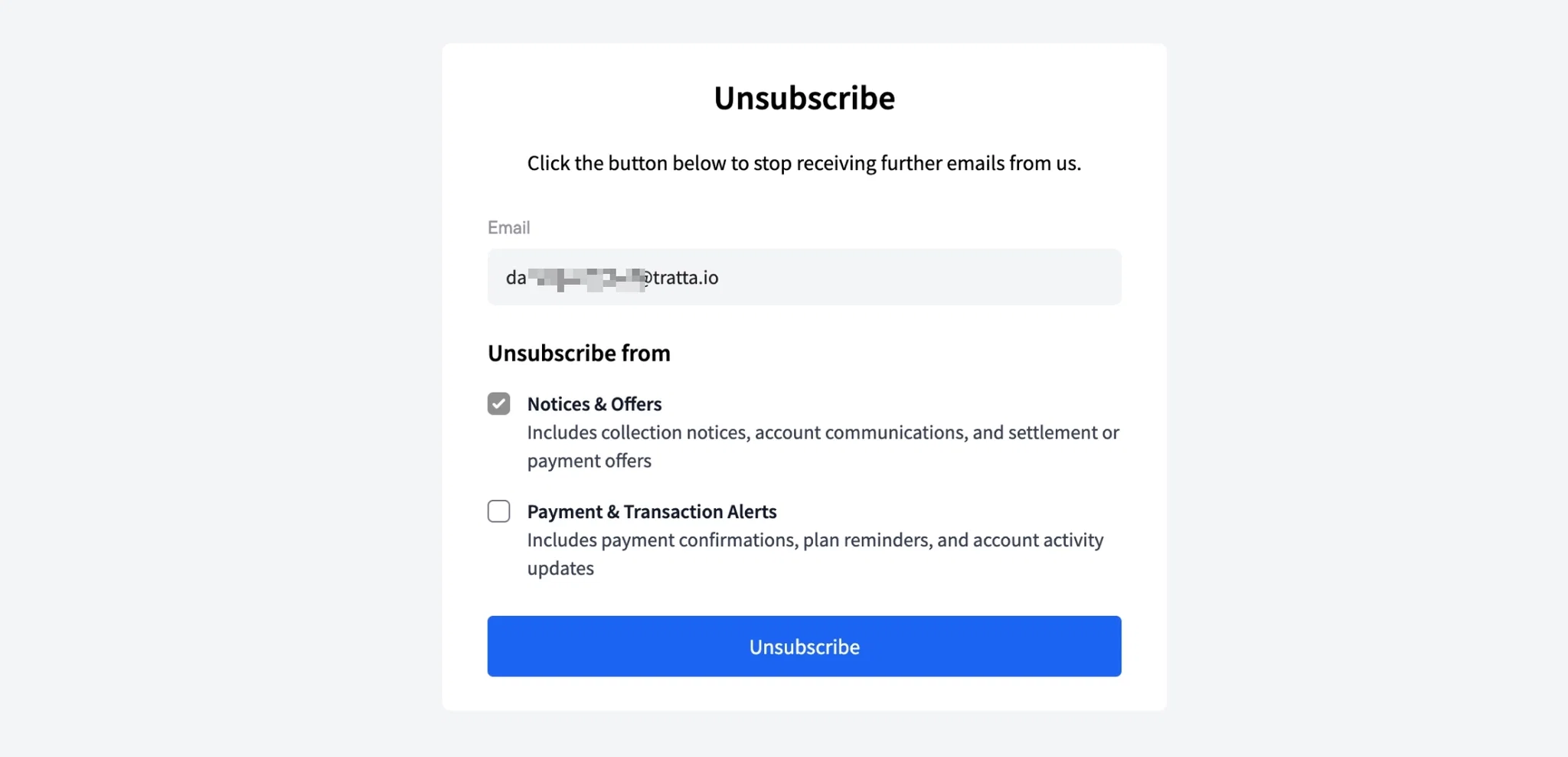
🚀 Contact your account manager to enable this feature.
📬 Contact Center Improvements
Based on early feedback from firms using Contact Center, we shipped two updates that address the biggest operational friction points:
- Auto-assign agents: New tickets can now be automatically assigned to responsible agents based on your settings
- Reopen on reply: When a consumer replies to a resolved ticket, it automatically reopens
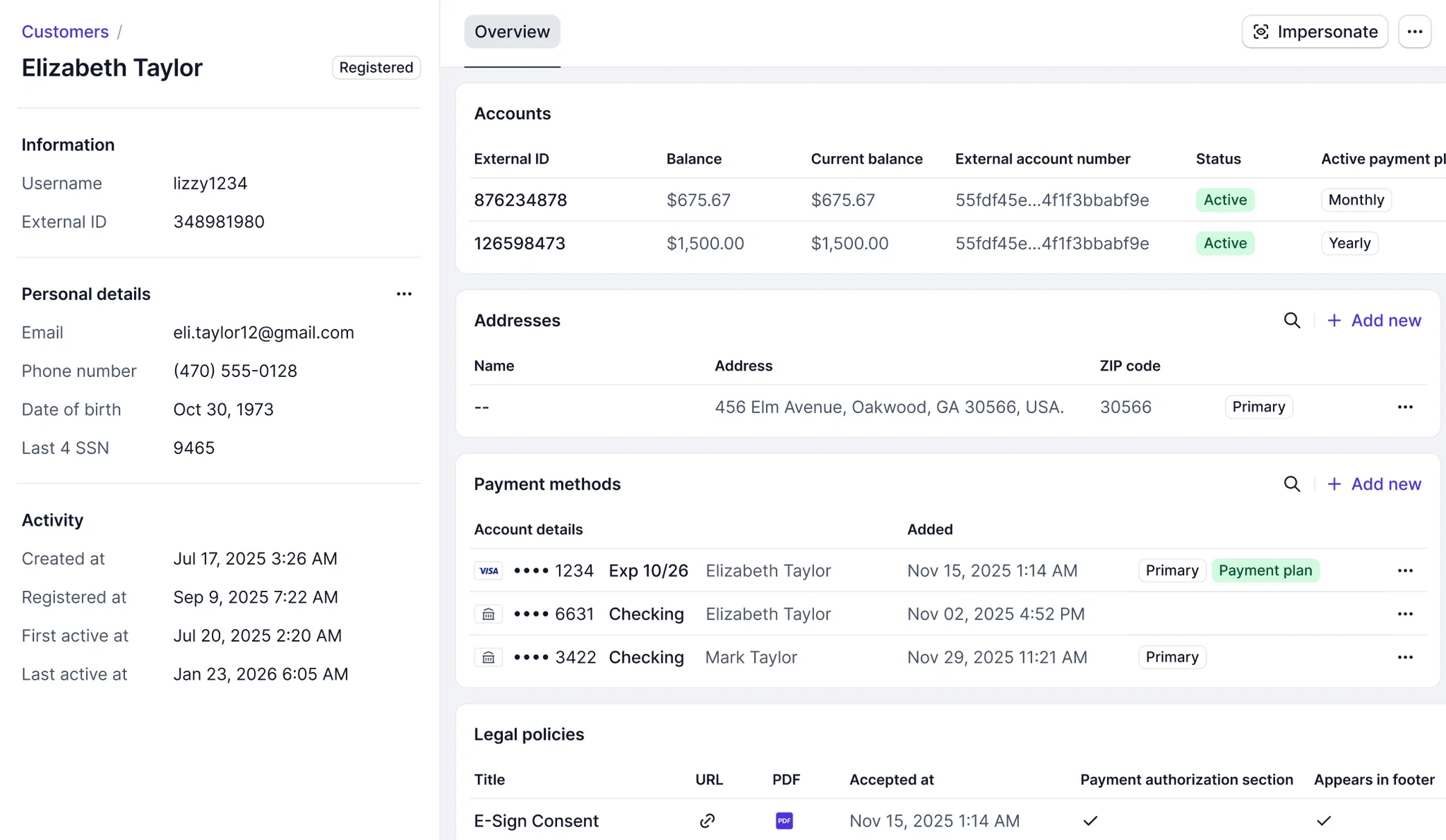
🎨 Console Customer Page Redesign
The Customer page in Console has a fresh new look as part of our ongoing design system update. Same functionality, cleaner interface.
🏦 Tratta payments application
New organizations can now complete the full Tratta Payments merchant application directly in Console (Settings > Tratta Payments). No more back-and-forth emails with documents.
Existing clients can also use this to apply for additional Trust Accounts when needed.
📋 Disclosures & Notifications Flexibility
If you operate across multiple states or jurisdictions, you can now show different disclosures, account summaries, and property labels based on location. One configuration handles the variations automatically. No manual switching, no creating near-identical duplicate disclosures for each state.
This was built directly from feedback: one firm told us they turned on the portal and then had to turn it off because the state-specific notices and disclosures were not there.
Transactional email templates also now support account metadata as variables and location-based conditional rows, so your emails can be more personalized without custom development.
Additional Improvements
- Guest checkout toggle: You can now configure the portal to show guest checkout above the login form, for clients with high guest checkout traffic
- Campaign matching for parent-child accounts: Improved account matching so campaigns target the right accounts in parent-child structures
- Settlement offer location matching: Settlement offers now match only active children's locations, ensuring the right offers appear for the right jurisdictions
- Campaign zero-match notification: If a campaign run matches zero accounts, you now get a notification instead of wondering why nothing happened
- Campaign and Contact Center report cleanup: Internal prefixes (p_) are now hidden in all client-facing reports
Have questions about any of these updates? Contact us or reach out to your account manager.