MMS Campaigns, Custom Settlement Offers, and a New Campaigns Dashboard
📽️ Video overview
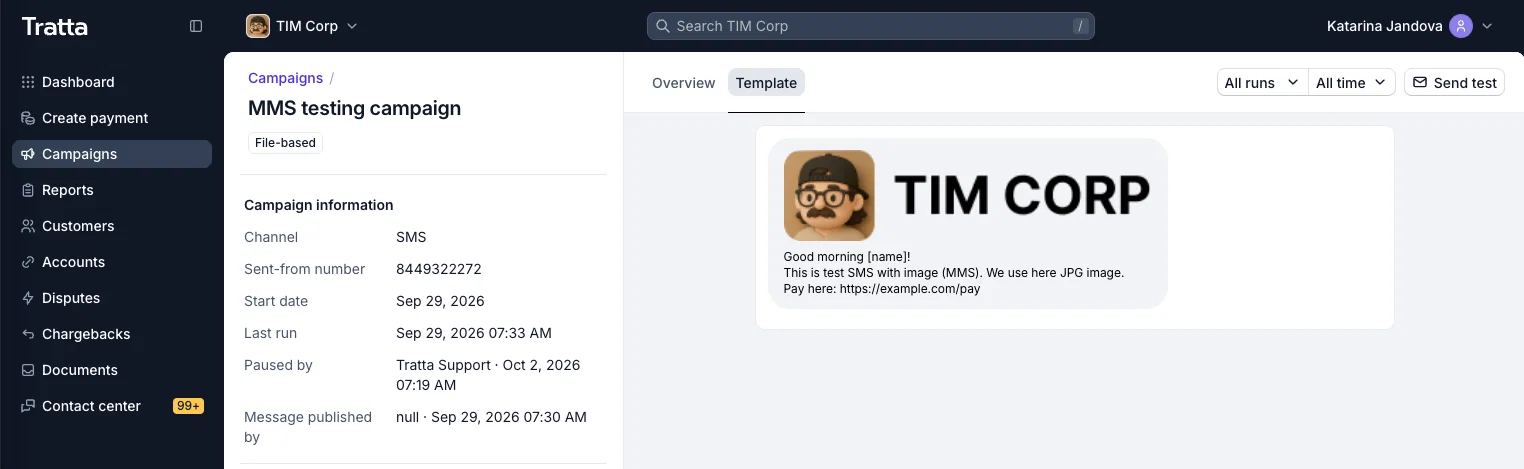
🖼️ MMS for SMS Campaigns
SMS campaigns can now carry an image. Ask your Tratta team to add an image (JPEG, PNG, or GIF, up to 1 MB) to any SMS template, and every message from that template goes out as MMS. Templates without an image keep sending as plain SMS, so the campaigns you already run stay exactly as they are.
Use it to put your logo, a QR code that opens your payment portal, or a visual payment reminder in front of consumers. An image stands out in a busy inbox and helps consumers recognize a message from your agency at a glance.
- Previews: the template preview in Console shows the image above the text, so you see what consumers will receive.
- Reporting: MMS sends are reported separately from SMS.
- Credits: each MMS uses 3 credits. Plain SMS stays at 1 credit per 160 characters.
🤝 Send Custom Settlement Offers by Email or SMS
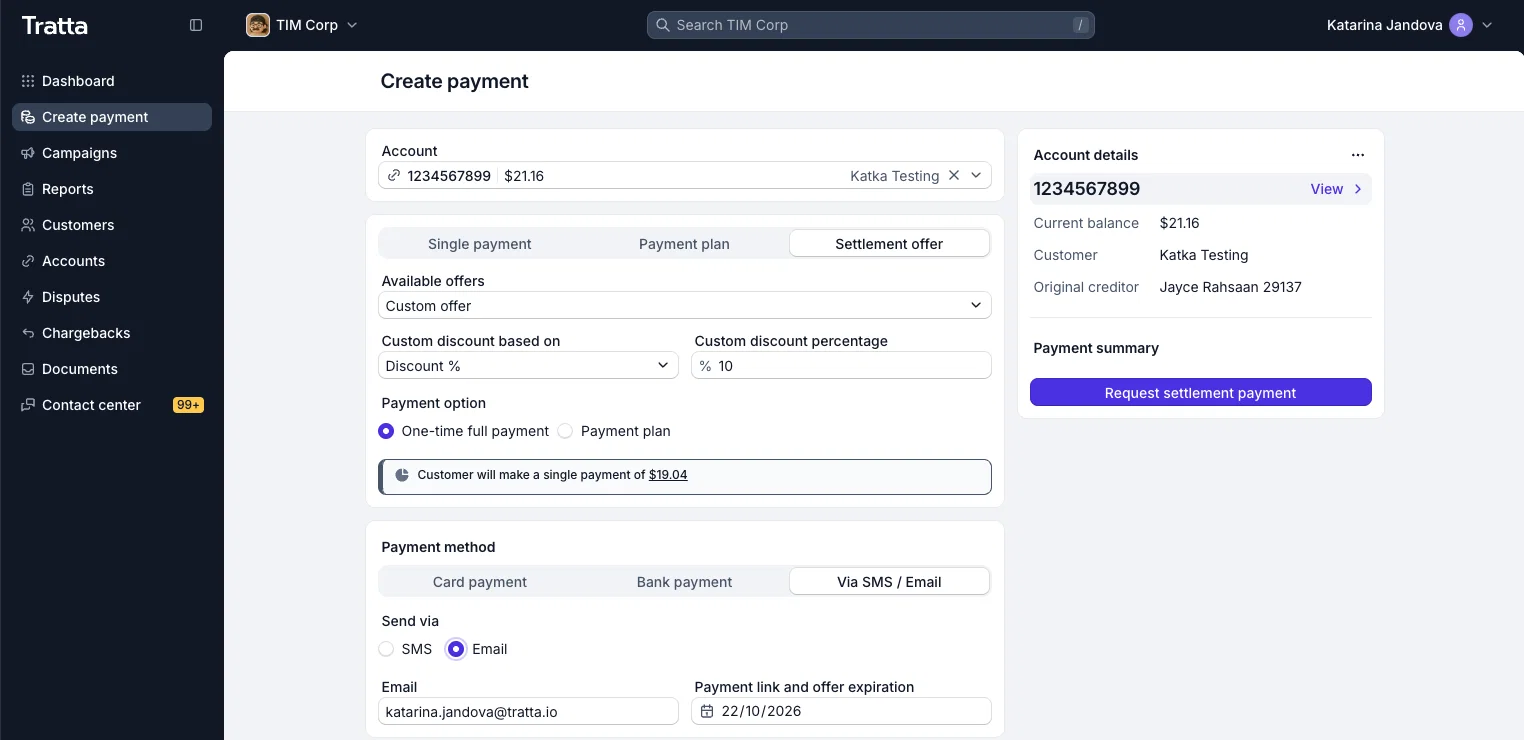
When an agent agrees on a settlement with a consumer, they can now send that exact offer straight to the consumer by email or SMS. The agent doesn't need a payment method on the call. In Console, create a custom offer as a one-time payment or a payment plan. Set the discount as a percentage (for example, 10% off) or as a fixed payoff amount (for example, $100 to resolve $122.34), choose an offer expiration date, and send.
The consumer gets a payment link with a summary of the offer, opens it in Collect, adds a payment method, and accepts. Collect shows only the agreed terms, with nothing to change or reselect, so what the consumer sees matches what was discussed.
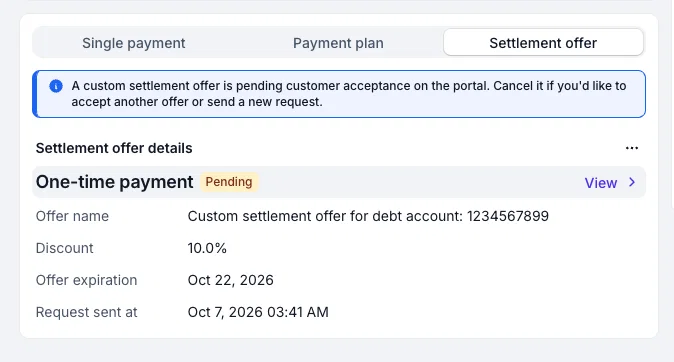
Until the consumer accepts, the account shows a Pending settlement offer badge. Agents can see the offer details and when it was sent, and cancel it if plans change. Once the consumer accepts, the offer becomes active automatically. If they don't accept by the expiration date, the offer closes.
📊 A New Campaigns Dashboard
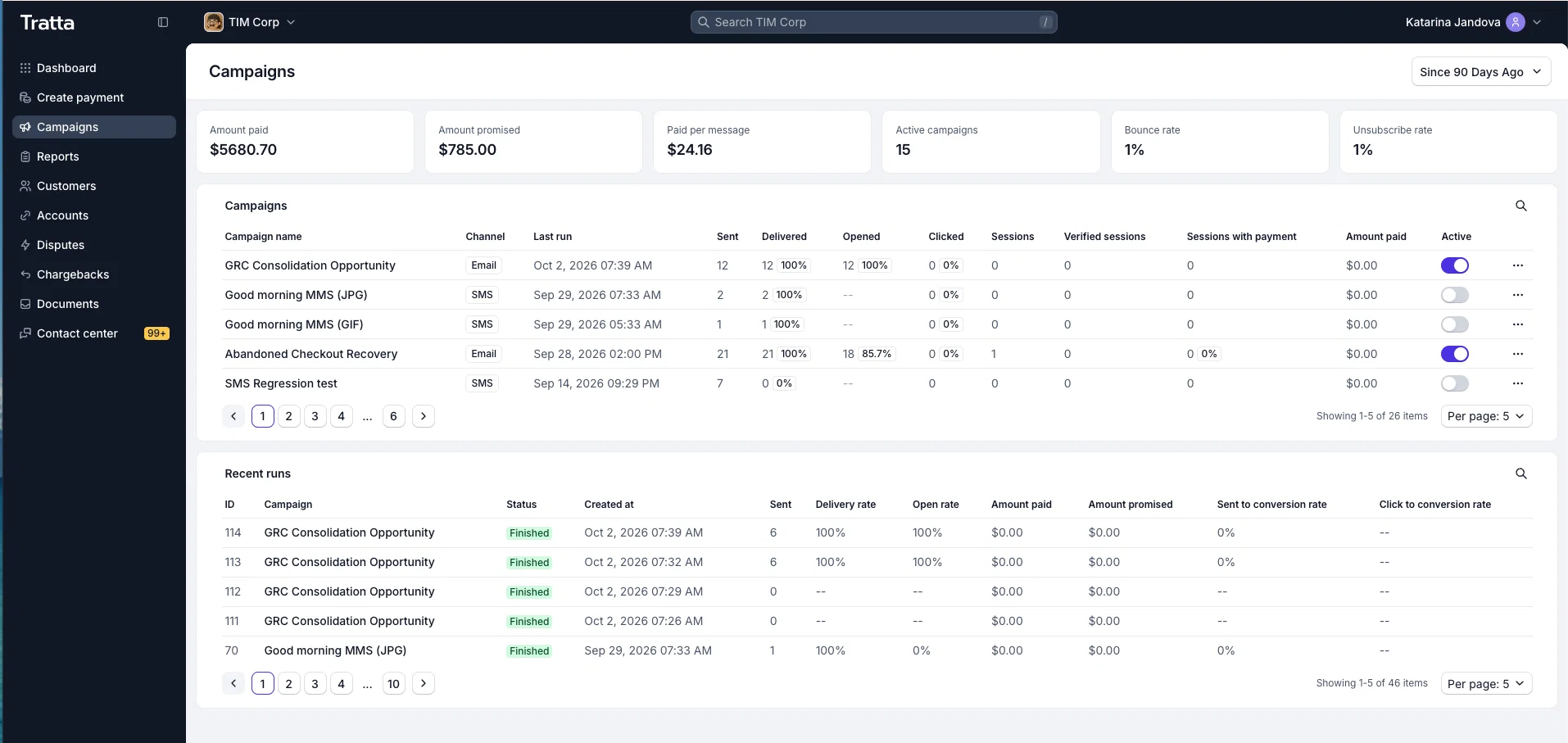
The Campaigns dashboard in Console has a fresh design that puts all of your campaigns in one overview. See at a glance what's running and how each campaign is performing, without opening them one by one.
Filter the dashboard by date to focus on any period you need, whether that's last week's outreach or a full quarter. By default it shows the last 3 months, so your most recent activity is always front and center. From there, open any campaign to dig into its runs and results, or activate and pause campaigns right from the dashboard.
🧪 Campaign Launch Controls
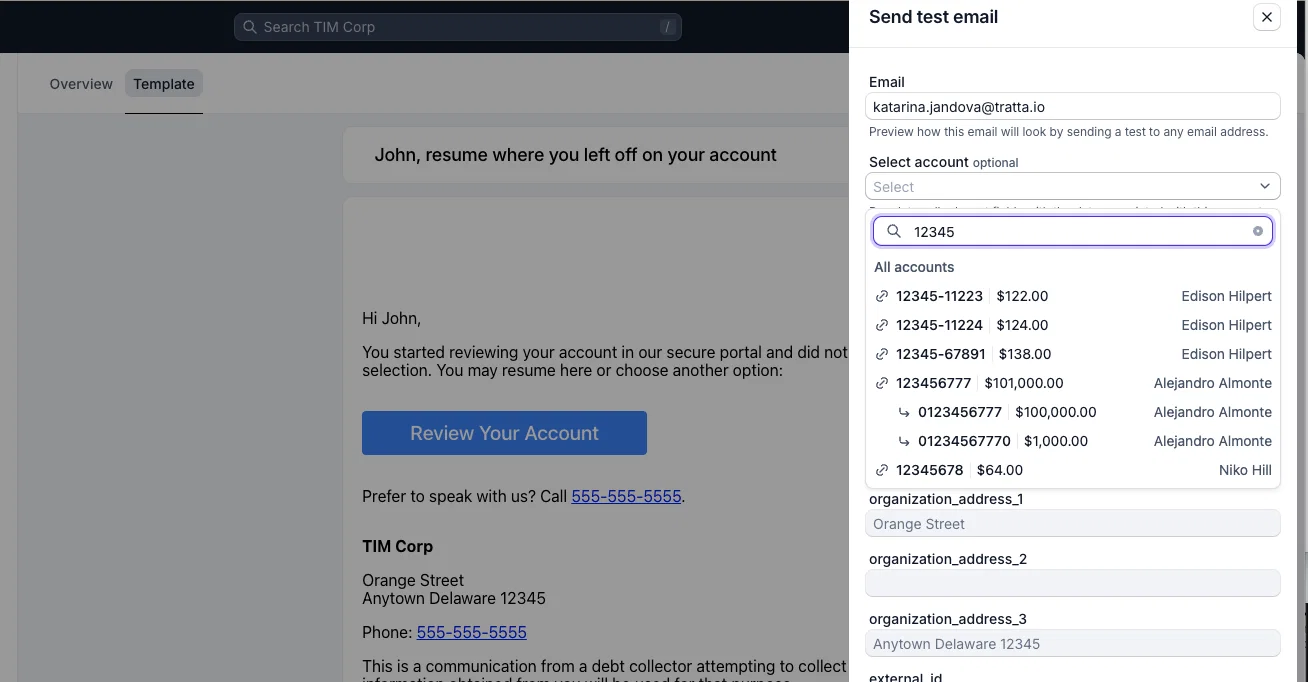
When you send a test email or SMS, you can now pick an account in the Send test drawer. The template fills in with that account's details (name, state, balance, and external ID), the preview updates, and the test message goes out with that data. See exactly what a consumer will receive before a campaign goes live.
Building a campaign and activating it are now separate permissions. One user can prepare and edit a campaign, while only users with the activate permission can put it live, so a campaign can go through review before it reaches consumers. Each campaign also shows who published it and who last activated or paused it.
🎨 Console Redesign: Documents and Settings
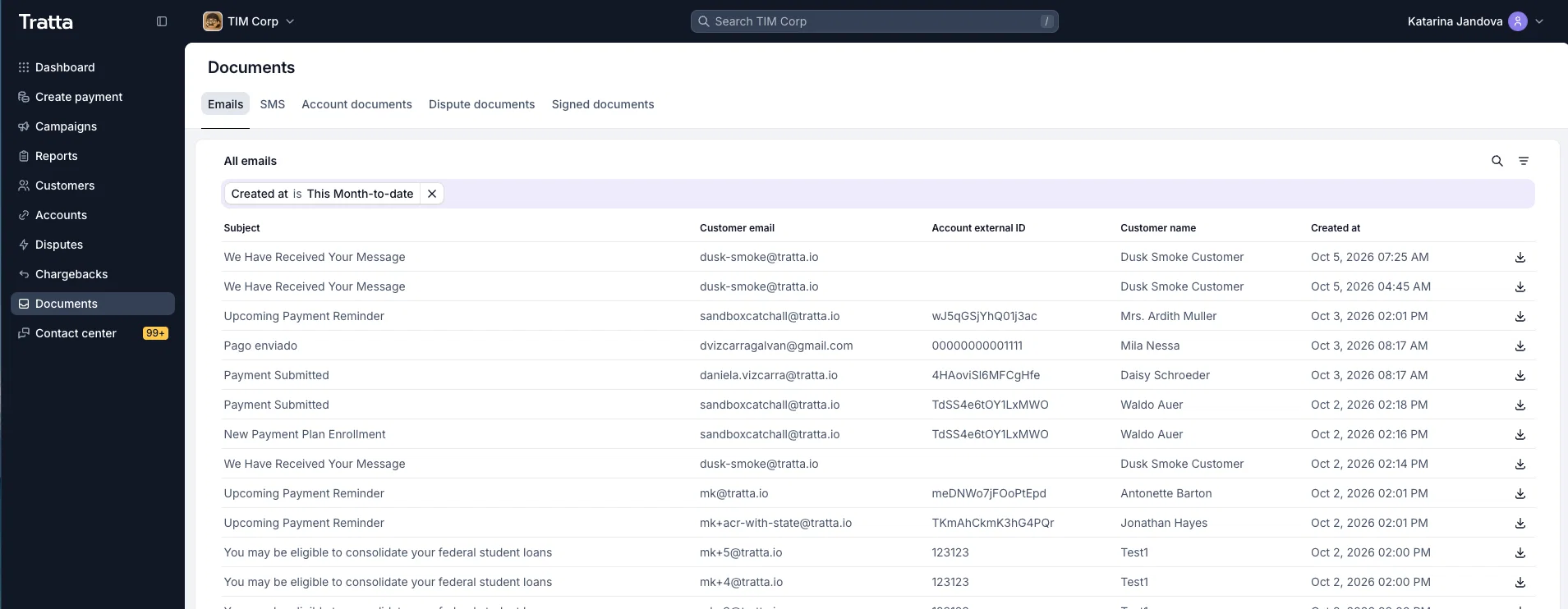
The Console redesign continues. These pages now have the new look:
- Documents: a cleaner list and signed document view, with Download.
- Settings/Settlement offers: create and edit offers in a side drawer, and filter offers by status.
- Settings/Report columns: updated to the new design.
- Settings/Locations: search and filter your locations.
- Settings/User account: profile, security, and notifications in one place under Settings.
- Settings/Security and Audit logs: updated to the new design.
✍️ Tratta Sign: Duplicate Templates
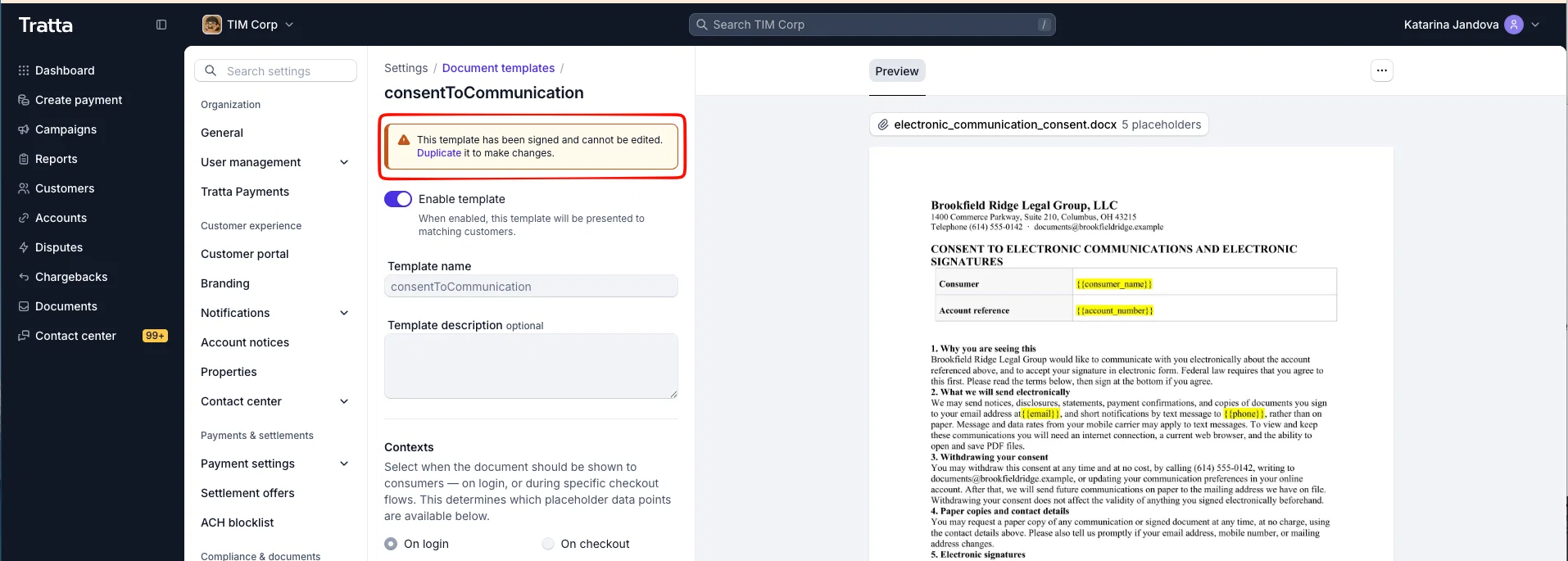
Every Tratta Sign document template now has a Duplicate action that opens a new template already filled in from the original. Templates that have already been signed are read-only, so every signed document stays tied to the exact version the consumer saw. Need changes? Duplicate the template and edit the copy. Signed templates you no longer use can be deleted to keep your list tidy.
🛠️ Minor Updates
- Contact Center attachment indicator: tickets now include a
has_attachmentsflag in the API and in theticket.createandticket.updatewebhooks. Your system of record can spot tickets where a consumer sent a file and route them to an agent first. The files themselves stay in Console. - Minimum discount for custom offers: set a minimum discount for custom offers, alongside the existing maximum. It defaults to 1%, so nothing changes unless you adjust it. Set it to 0% to allow very small discounts, which comes in handy on high-balance accounts.
- API: settlement offer cancellation webhook: when a settlement offer is canceled, the
debt-account-settlement-offer.updatewebhook now includes the canceled scheduled charge reference, so your system of record can match the cancellation to the right payment. - ACH batch close date: ACH payments now carry their batch and its close date, which you can filter on in the transaction report. The close date is calculated, so it can differ by a day from your processor's batch email.
- ACH blocklist permissions: viewing, blocking, and unblocking bank accounts are now separate permissions. Users with view access see the list with actions locked.
- Tratta Sign emails: the document-to-sign email now comes from your own sender address instead of Tratta support.
- Plus ongoing bug fixes and stability improvements 🐛
More updates on the way. Stay tuned! 💫
If you want any of these walked through for your team, reach out to your Tratta contact. More updates are on the way. You can see the full list anytime at https://whatsnew.tratta.io/announcements 💫