Tiered Autopay Plans, ACH Payment Caps, and Console Search Redesigned
💳 Autopay Plans, Now with Tiers
Autopay plans can now step up over time. Set the first three months at $150, the next three at $250, then $500 a month until the balance is paid, all on a single plan with no fixed end date.
Tiers give agents a real negotiating lever. A consumer who balks at $300 a month will often agree to start at $100 and step up from there, and the plan still handles interest correctly on interest-bearing files. Build the tiers directly in the Create Payment flow, and review or adjust them from the payment plan details screen.
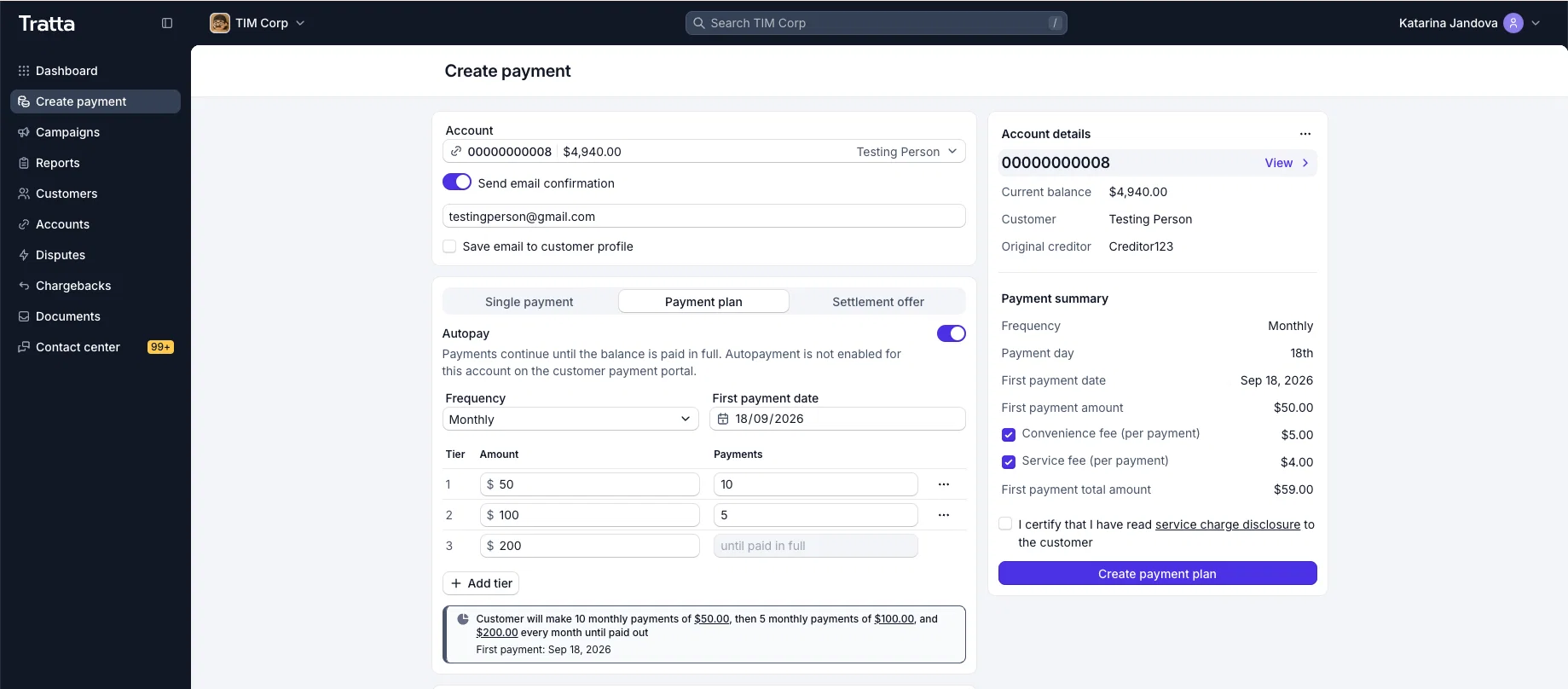
Create Payment also picks up the latest Console design in this release, so the whole flow (one-time payments, settlement offers, and payment plans) is quicker to move through.
🛡️ Cap ACH Payments at an Amount You Choose
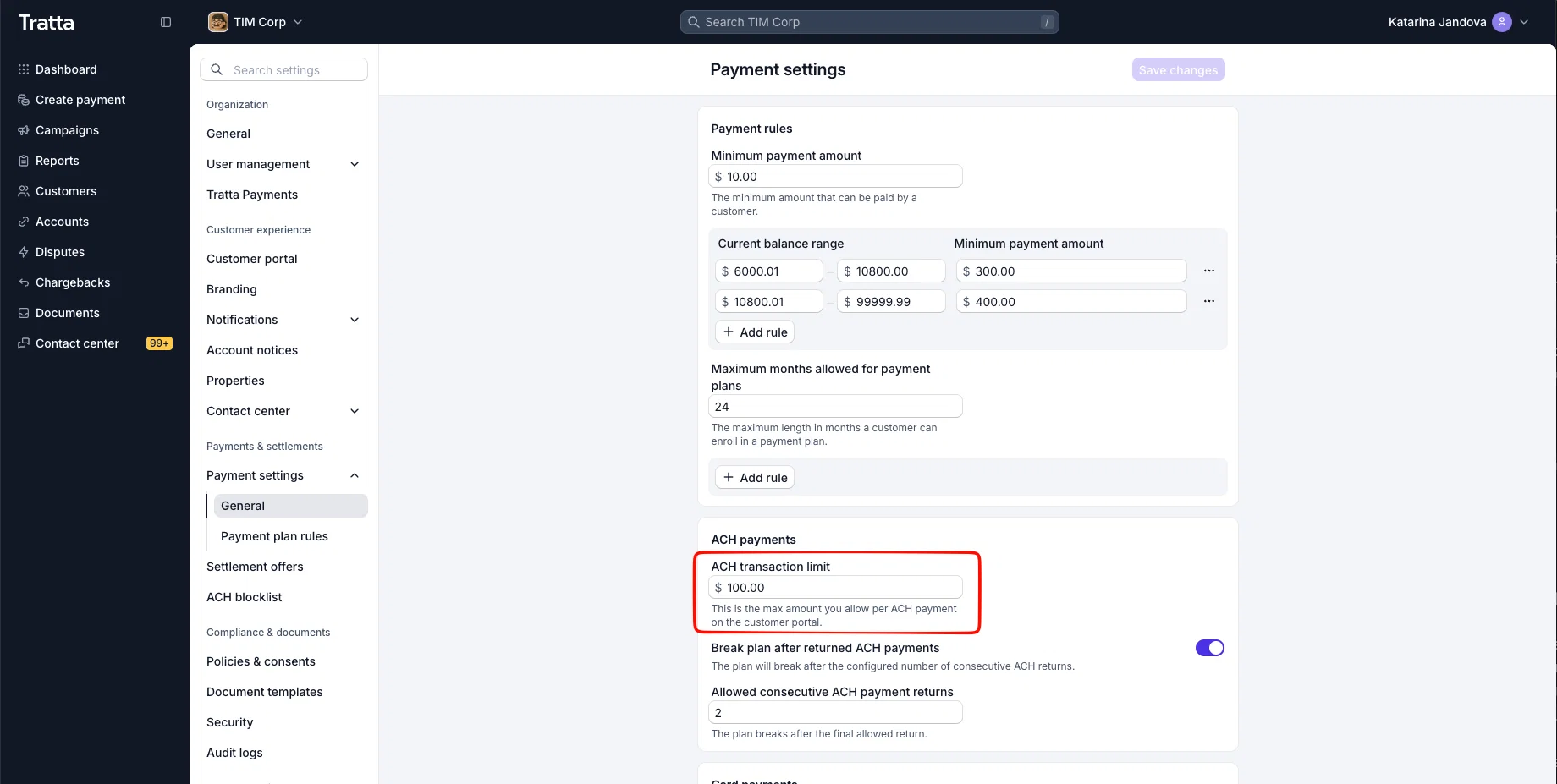
Each organization can now set a maximum amount for a single consumer-initiated ACH payment. Set it once and it applies to one-off ACH payments on the consumer portal. Leave it unset and nothing changes.
A consumer whose payment lands above the cap is not dead-ended. They are offered a payment plan for the same balance with installments that fall under the cap, so the money still moves and the account keeps progressing. Card payments and existing payment plans are unaffected, and agents can still take a larger ACH payment from Console.
Why this matters for debt collection:
- Overall return rate level: a large debit is likelier to come back unpaid, and every return counts toward the 15% overall return rate level NACHA asks originators to stay under. Capping the largest payments is a direct lever on that number.
- Processor relationships: an agency sitting near a return-rate threshold risks a notice from its ACH processor. A cap brings the rate down without turning ACH off.
- Keeps the cheap rail: ACH is still the low-cost option. Capping a payment keeps the consumer on ACH through a plan instead of pushing the balance to card.
🔍 Console Search, Redesigned
Search in Console now opens as a full modal over whatever page you are on, with results laid out for scanning instead of squeezed into a dropdown. It stays on top on Customer and Settings pages rather than slipping behind the overview bar.
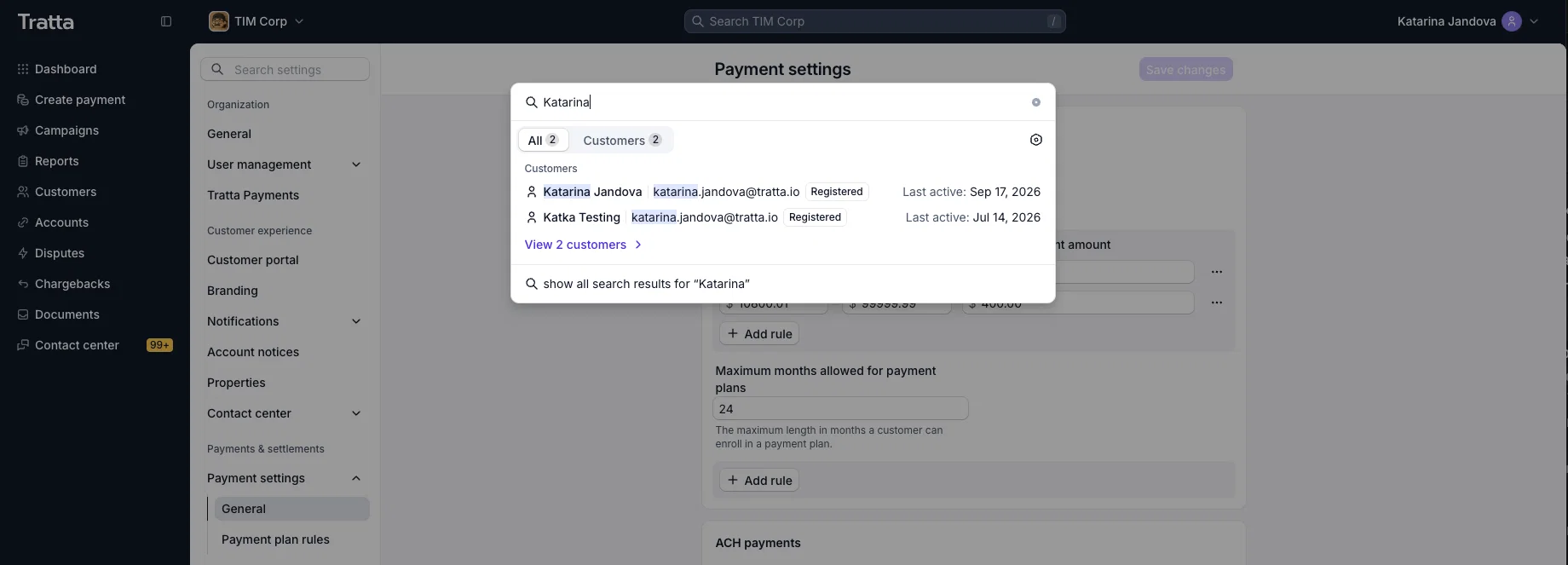
Searches containing an ampersand return correct results too, so an account like "Smith & Sons" finds what you expect.
🚫 ACH Block List, Cleaner
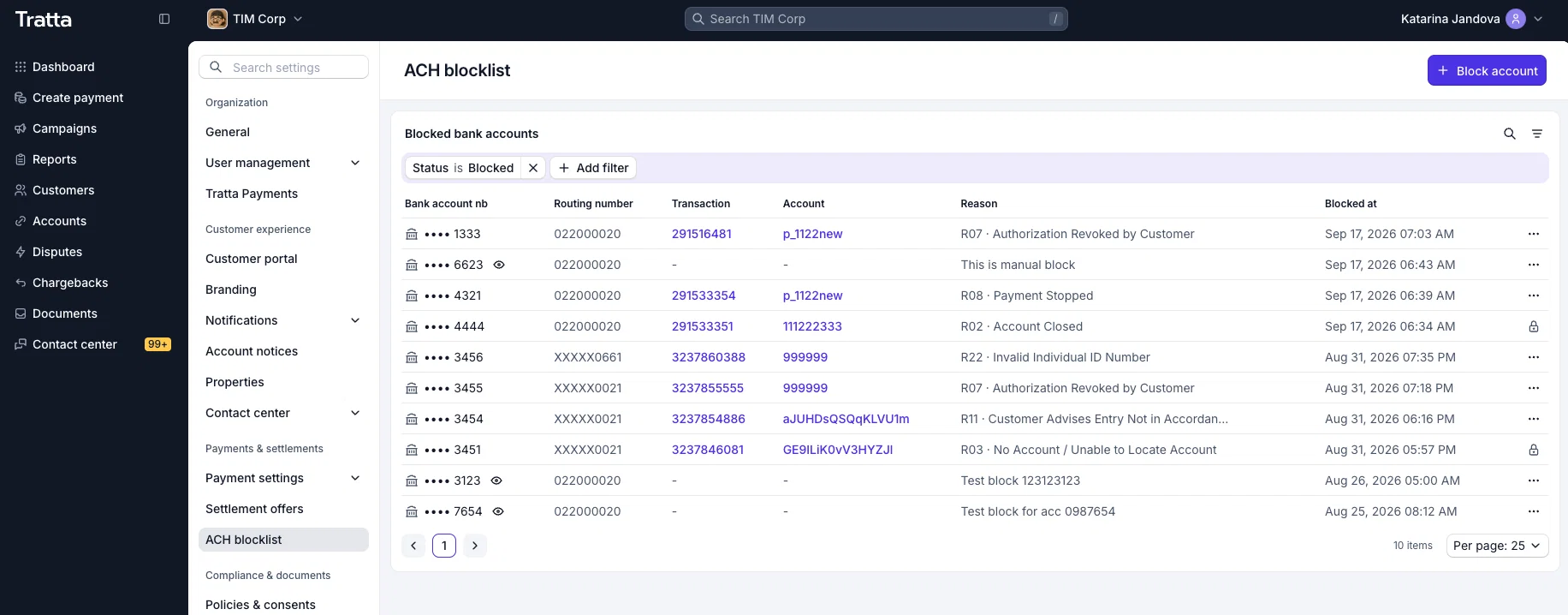
The ACH block list now shows only the blocks tied to your own accounts, and every row links straight to the transaction that triggered the block and the account behind it. Routing numbers are visible, and the full bank account number can be revealed with the eye icon by users whose permissions allow it.
📊 Customer Metadata in Reports
Report columns can now pull customer metadata alongside debt account metadata. Add attributes that belong to the person rather than the account, a co-debtor number for example, to your Transactions report and the other reports that support column customization, in Console > Settings > Report columns.
📱 State-Specific SMS Disclosures
Disclosure text can now vary by the consumer's state. For example, California may require an agency's license number on every text to a California consumer, so you can set that wording for California alone while every other consumer keeps your default. It covers both transactional and campaign SMS.
🛠️ Minor Updates
- Batch ACH from your own FTP: Tratta can pull Batch ACH files from an FTP you host, matching how import and campaign files already work. Ask your Tratta account manager to set it up.
- Default expiration for payment request links: set your own default expiry instead of the standard 90 days. It prefills one-time payments, settlement offers, and payment plan requests, and agents can still change the date on any individual request.
- Payment settings, redesigned: Console > Settings > Payment settings now follows the new Console design.
- Contact center settings, redesigned: Console > Settings > Contact center now follows the new Console design.
- Decline reasons in charge webhooks: succeeded and failed charge events now carry the payment's error code and error description, matching the Error and Error Code you see for that payment in the Transactions report, across every gateway. If you build your reporting on the API, failed payments now explain themselves without a second lookup. The new fields are documented at docs.tratta.io.
More updates on the way. Stay tuned! 💫
If you want any of these walked through for your team, reach out to your Tratta contact. More updates are on the way. You can see the full list anytime at https://whatsnew.tratta.io/announcements 💫